COMPUTATIONAL ENGINEERING · SOLERRA · IN DEVELOPMENTFusion MAT is Fusion's computational engineering environment. Write mathematics, algorithms and automation in Solerra, see results as interactive plots, and drive Fusion CAD and Fusion SIM from the same workspace, with an AI assistant that understands your code, your model and your results.
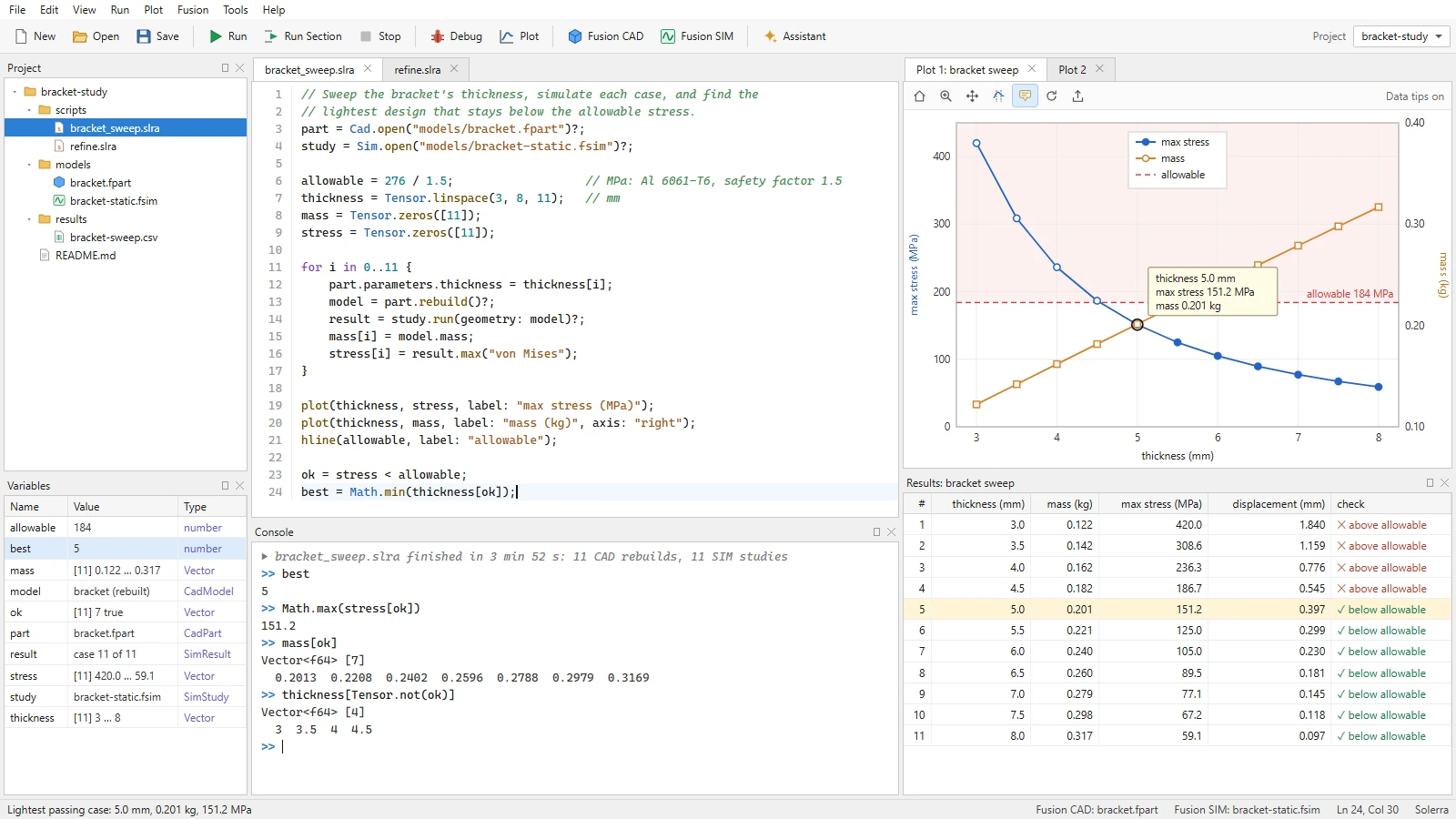
Design mockup: a bracket's thickness swept through Fusion CAD and Fusion SIM. Illustrative data; the interface is not built yet.
CAD creates. MAT computes. SIM simulates.
Fusion MAT is the computational layer between Fusion's design and simulation products. It turns the engineering loop of create, compute, simulate, analyze, optimize and redesign into something you can program, inspect and repeat.
Fusion CAD creates
Geometry and design: parametric parts and assemblies on the Open CASCADE kernel.fusioncad.cloud →
Fusion MAT computes
Mathematics, algorithms, visualization, automation and optimization, written in code or explored line by line.
Fusion SIM simulates
Physics and engineering analysis, from multi-domain networks to stress in solids.fusionsim.cloud →
Write, run, inspect, and run again.
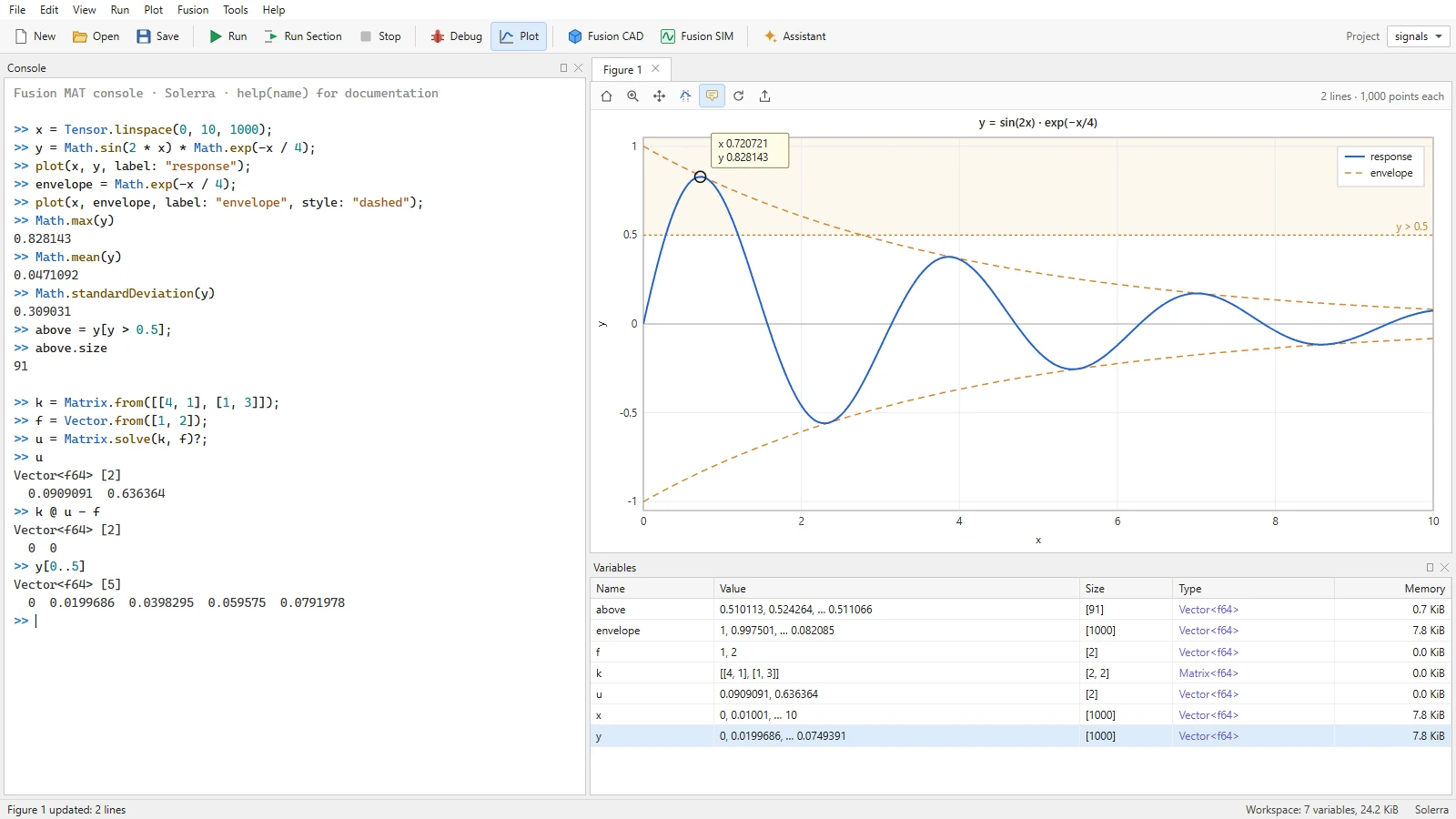
Fusion MAT is a place to write programs and a place to explore. Type a line and see its value, plot it, change it and run it again. Code, data, plots, models and simulations stay in one workspace.Design mockup: the console and a figure. The values shown were computed in double precision for this page.
Code editor
Scripts, functions and reusable modules in Solerra, with sections you can run one at a time.
Interactive console
Run a line and see its value at once, with the whole workspace still in memory.
Variable inspector
Every variable's value, shape, type and size, for scalars, vectors, matrices, tensors and Fusion objects.
Plots and figures
Interactive plots beside the code, with zoom, pan, cursors and data tips.
Results
Tables of cases and outcomes from studies and sweeps, ready to sort, compare and export.
Debugging
Step through code, stop at breakpoints and inspect values as a computation runs.
Mathematics in the language.
Fusion MAT runs Solerra, Fusion's compute language. Arrays, matrices and element-wise mathematics are being added to Solerra for Fusion MAT, with one meaning for each operator: arithmetic works element by element, and the matrix product has its own operator.
x = Tensor.linspace(0, 10, 1000);
y = Math.sin(2 * x) * Math.exp(-x / 4);
plot(x, y);

k = Matrix.from([[4, 1], [1, 3]]);
u = Matrix.solve(k, Vector.from([1, 2]))?;
residual = k @ u - Vector.from([1, 2]);
Solerra with the proposed numeric arrays. The syntax is still under review.
Arrays and tensors
IN DEVELOPMENTVectors, matrices and tensors with element-wise arithmetic, Solerra's Math functions over whole arrays, statistics along any axis, and zero-based indexing and slicing. The numeric core is built and tested.
Linear algebra
PLANNEDMatrix products, solving linear systems, decompositions, eigenvalues and norms.
Numerical methods
PLANNEDRoot finding, linear and nonlinear systems, differential equations and numerical integration.
Optimization and studies
PLANNEDOptimization, parametric studies, design-space exploration and sensitivity analysis.
Data analysis
PLANNEDStatistics, curve fitting, regression and data processing for test and simulation data.
And later
ROADMAPComplex numbers and Fourier transforms, units on arrays, and symbolic mathematics.
Visualization is part of the work.
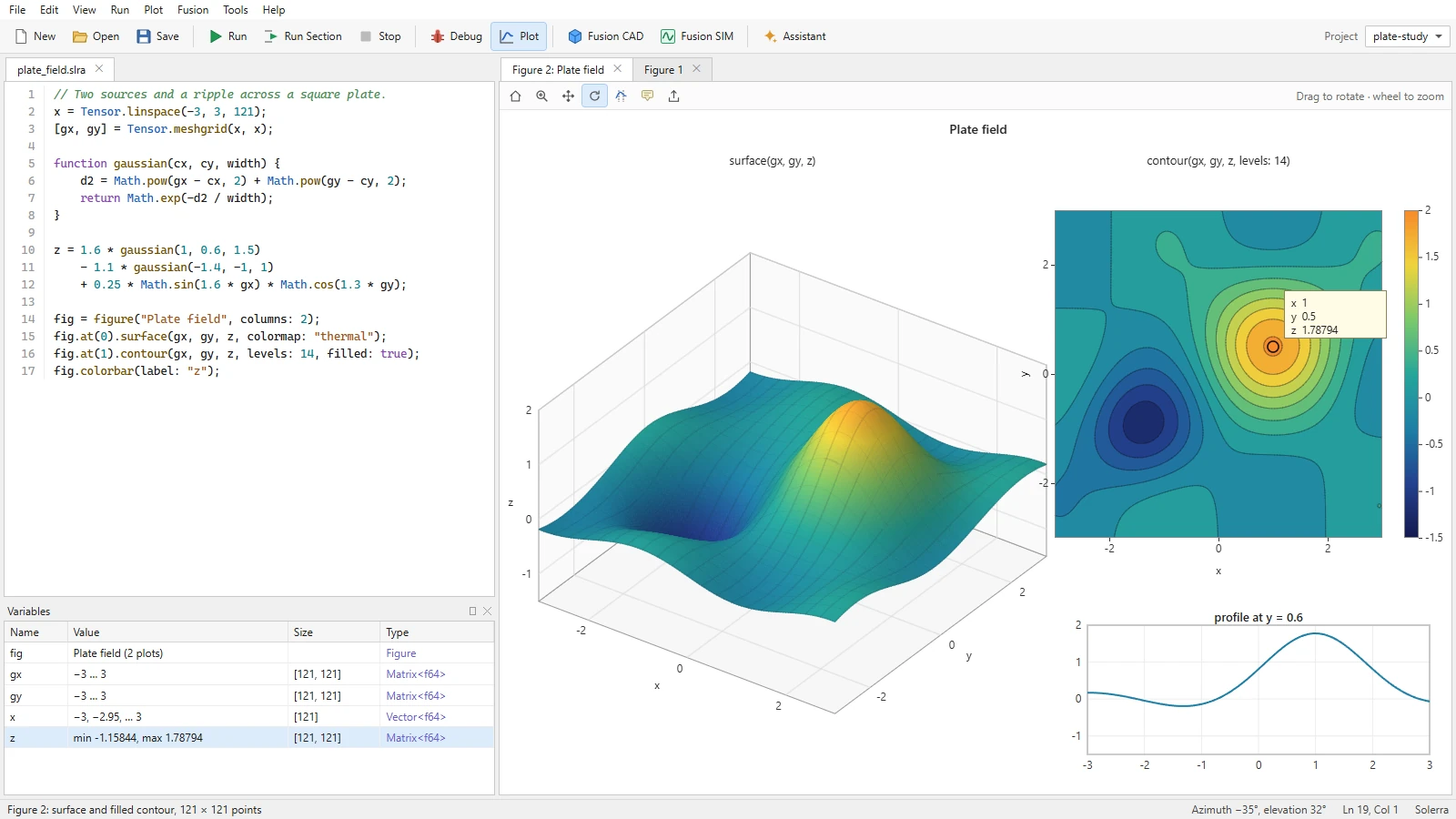
A plot appears the moment you ask for one, next to the code that made it. Fusion MAT draws mathematics, and it draws real Fusion geometry and simulation results too.Design mockup: one field as a 3D surface, a contour plot and a profile.
2D plots
Lines, scatter plots, curves, two axes, heatmaps and contours, with cursors and data tips.
3D surfaces and meshes
Surfaces, meshes and scalar and vector fields. 3D figures will draw through Fusion 3D Engine, Fusion's core 3D engine.
Fusion geometry and results
Fusion CAD parts and Fusion SIM results, such as stress on a part, in the same figures as your data.
Drive Fusion CAD and Fusion SIM from your code.
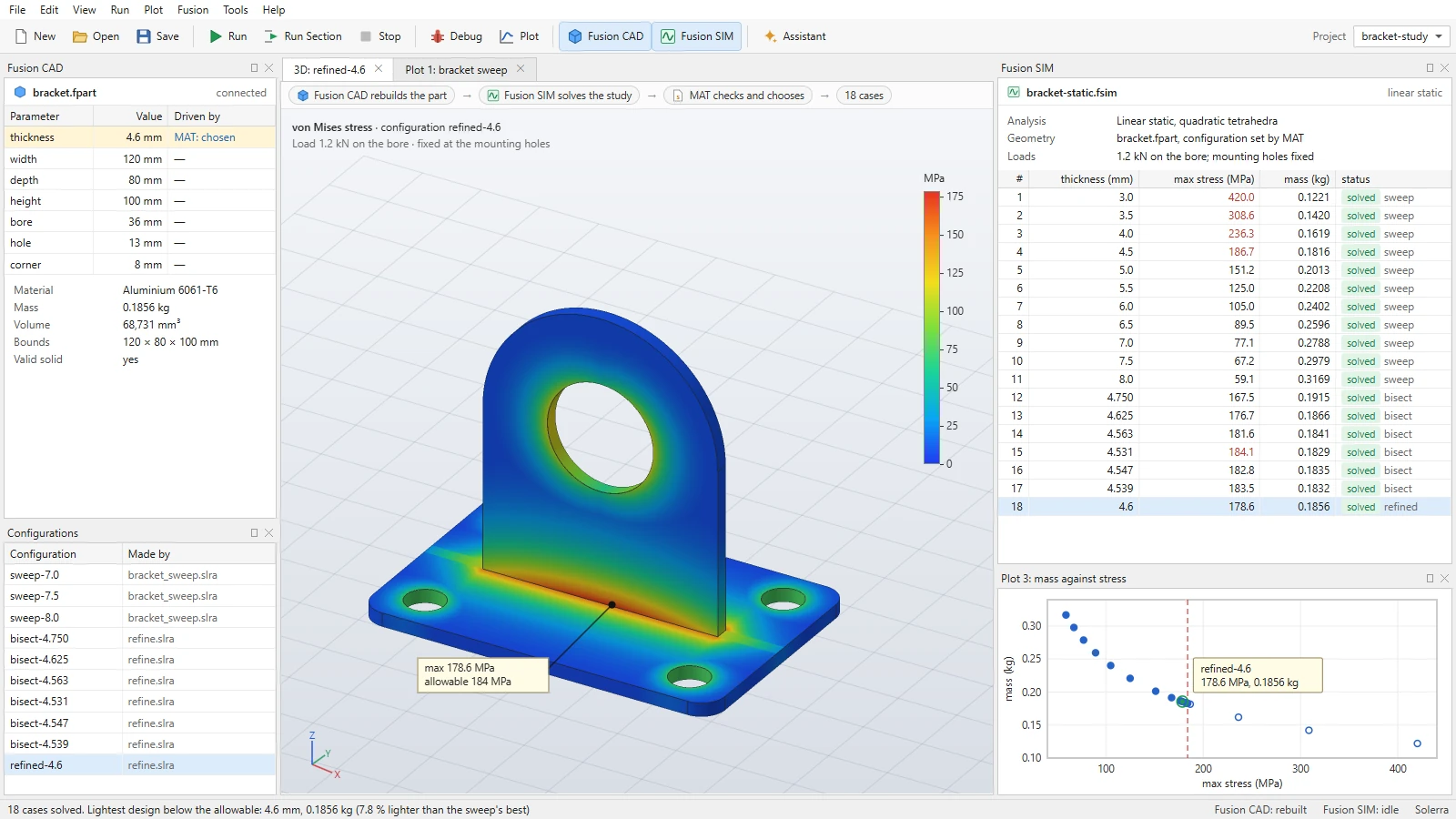
Fusion MAT is planned to read and change Fusion CAD models and to run Fusion SIM studies, so one program can carry a design from CAD to MAT to SIM and back: change a dimension, rebuild the part, simulate it, check the result and choose the next design.Design mockup: eighteen cases rebuilt in Fusion CAD and solved in Fusion SIM, with the lightest design below the allowable stress. Illustrative data.
Fusion CAD
PLANNEDRead parameters, dimensions, sketches, features, assemblies and mass properties. Change parameters, generate geometry and save design variants as configurations of the part.
Fusion SIM
PLANNEDSet up and launch studies, run them in batches, and bring their results back to analyze, plot and compare.
The automated loop
PLANNEDParameter sweeps and optimizations that run CAD → MAT → SIM → MAT, then hand the chosen design back to Fusion CAD.
An assistant that knows your model.
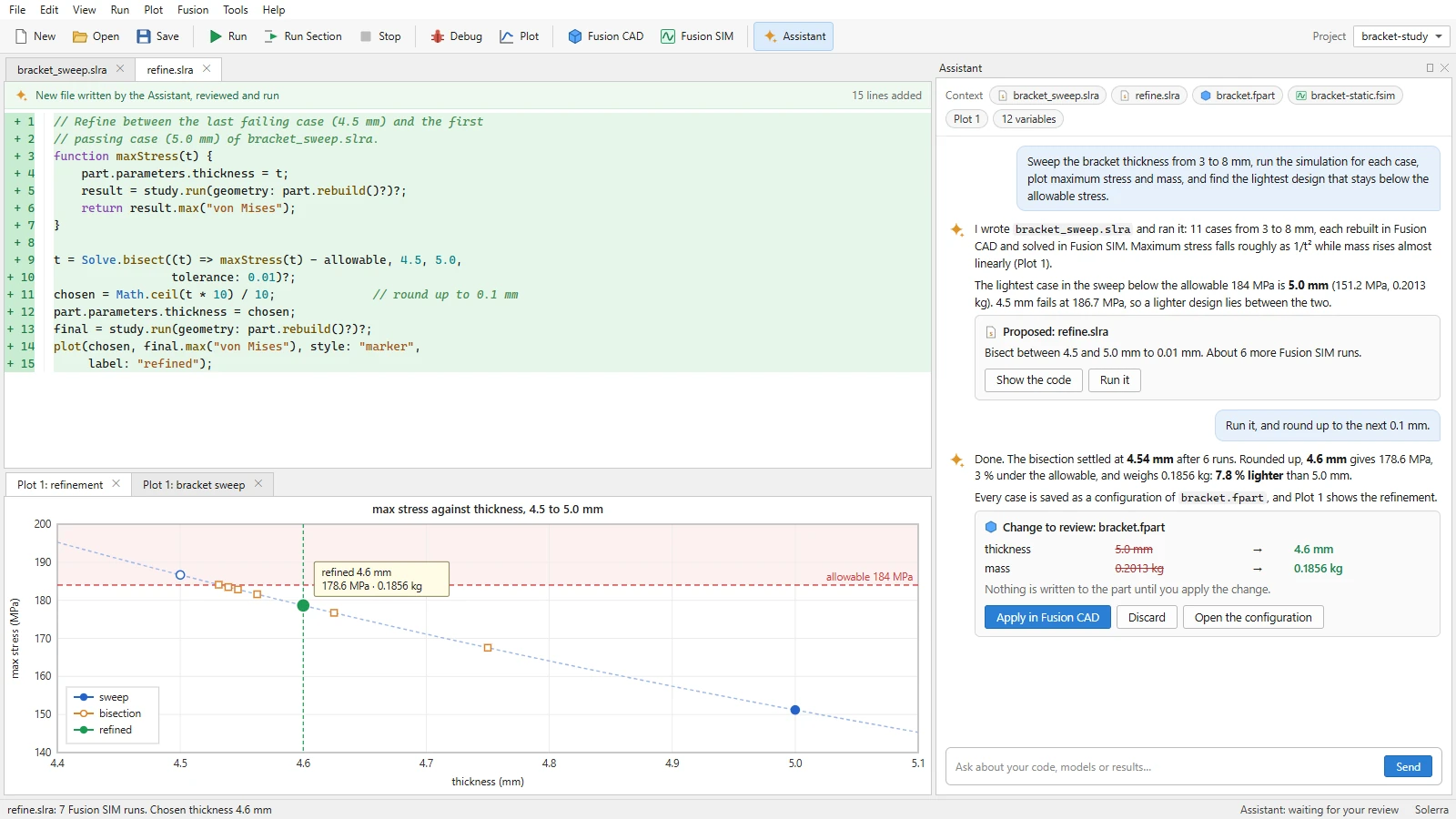
Fusion MAT's AI assistant is part of the environment, not a chat window beside it. It is designed to work from your code, variables, plots, CAD model and simulation results, and to build and run a whole workflow from one request.Design mockup: the assistant refines a sweep and holds the change to the part for review. Illustrative data.
Writes and explains code
Generates, explains, modifies, debugs and extends code and algorithms, and suggests numerical methods and optimization strategies.
Reads the results
Creates visualizations, finds patterns in results and connects them to the design that produced them.
You decide what changes
In the design, changes to scripts and models are shown for review, and nothing is written until you apply them.
Ask for the result, not the steps.
Requests like these are what Fusion MAT is being designed around. Fusion MAT builds the workflow, runs it, and shows its work.
“Sweep the bracket thickness from 3 to 8 mm, run the simulation for each case, plot maximum stress and mass, and find the lightest design that stays below the allowable stress.”“Generate 500 variations of this bracket by changing these dimensions.”“Run this simulation for each thickness and plot displacement against mass.”“Find the lightest design that meets these stress and displacement constraints.”
Built in phases.
Fusion MAT is being built from the computational core outward. Each phase builds on the one before it.
1 · Computational core
IN DEVELOPMENTVariables, arrays, functions, expressions, interactive execution and basic numerical operations. The numeric core library is built.
2 · Visualization
PLANNED2D and 3D plotting, interactive graphics, surfaces, contours and meshes.